AI image generation and editing — up to 4K
Describe it in words — AI draws the image. Or upload your photo and change it: swap the background, place a product in a new scene. Turn the finished image into a video with one button.
Example
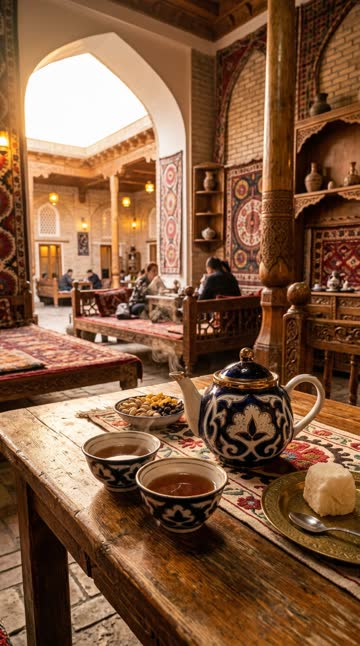
How it works
Describe it
Write what you need: subject, style, lighting, colours.
Model, size and ratio
Pick one of 3 models, 1K, 2K or 4K, and an aspect ratio (1:1, 9:16, 16:9, 4:5 and more).
Download or animate
Download the image or turn it into an AI video with “To video”.
Features
3 models
From quick, affordable sketches to the finest detail and on-image text.
Up to 4K
High quality for posts, banners, covers and print.
9 aspect ratios
1:1, 9:16, 16:9, 4:5, 3:4, 4:3, 2:3, 3:2, 21:9.
Photo editing
Upload up to 3 of your images: replace the background, place a product in a new scene.
Image to video
Turn the finished image into an AI video with one button.
Pay with credits
The price depends on model and size and shows up front; credits come back if a job fails.
Who it is for
- SMM and design — posts and banners
- Online shops — product photos
- Creators — covers and thumbnails
- Presentations and learning materials
FAQ
What sizes can I get?
1K, 2K or 4K (depending on the model), in 9 aspect ratios.
Can I edit my own photo?
Yes, upload up to 3 images — replace the background or put a product in a different scene.
Can I turn an image into a video?
Yes, one button sends the image to AI video creation.
How much does it cost?
Credits, depending on model and size. The exact price is shown before you create.
How long is the result kept?
14 days — download it within that time.
Plans and pricing
Monthly subscription, paid in UZS. Pick a plan and pay via Telegram support.
Other services
AI video generator
Create AI videos from text or an image: 7 models, up to 15 seconds, 1080p, with sound. For ads, Reels and Shorts. See the price before you create.
Automatic subtitles for your videos
Automatic subtitles for Reels, Shorts and TikTok: Uzbek, Russian and English speech, 30 animated styles, edit any word, SRT export.
AI auto editing
AI edits your video like a pro: 37 animated templates, 19 transitions, cuts pauses and retakes, adds music and subtitles. You can change every detail.
YouTube channel on autopilot
Daily Shorts and long videos for your YouTube channel: topic, script, voice-over, original music, editing, SEO and thumbnail. You just approve.
Text to speech
Turn text into natural speech: 6 voices in Uzbek, Russian and English, up to 5,000 characters, a pronunciation dictionary for brands.
Speech to text from audio and video
Transcripts from audio and video: Uzbek, Russian and English detected automatically, up to 60 minutes, speaker separation, TXT, SRT and VTT files.